call us: +31203311214
6DoF Optical Tracking in Unity with the PST Unity Plugin
Bring accurate PST optical tracking directly into your own Unity project
PS-Tech has developed a Unity plugin that brings accurate 6DoF optical tracking directly into Unity.
The plugin connects PS-Tech optical trackers with a Unity project, allowing physical tracked objects to control their corresponding virtual objects in real time.Instead of developing the connection between the tracking hardware, the PST SDK and Unity from scratch, developers can concentrate on the application itself.
The result is a straightforward way to add accurate physical interaction to training simulators, VR and XR applications, research environments and other Unity-based applications.
See how the PST Unity Plugin connects accurate 6DoF optical tracking with a Unity project — from plugin installation to a working HMD demonstration.
From a Physical Object to a Unity GameObject
PS-Tech trackers measure the position and orientation of physical objects in six degrees of freedom (6DoF).
The PST Unity Plugin takes this tracking data and makes it directly available inside Unity. A physical tracked object can therefore control the position and orientation of its corresponding Unity GameObject.
In simple terms: Move the real object → the virtual object follows.
The plugin handles the connection to the PST SDK as well as the conversion between the PST tracking coordinate system and Unity’s coordinate system. This removes much of the integration work normally required when connecting an external tracking system to a Unity application.
Designed for Straightforward Unity Integration
A key objective of the plugin is to make PST tracking easy to integrate into an existing Unity project.
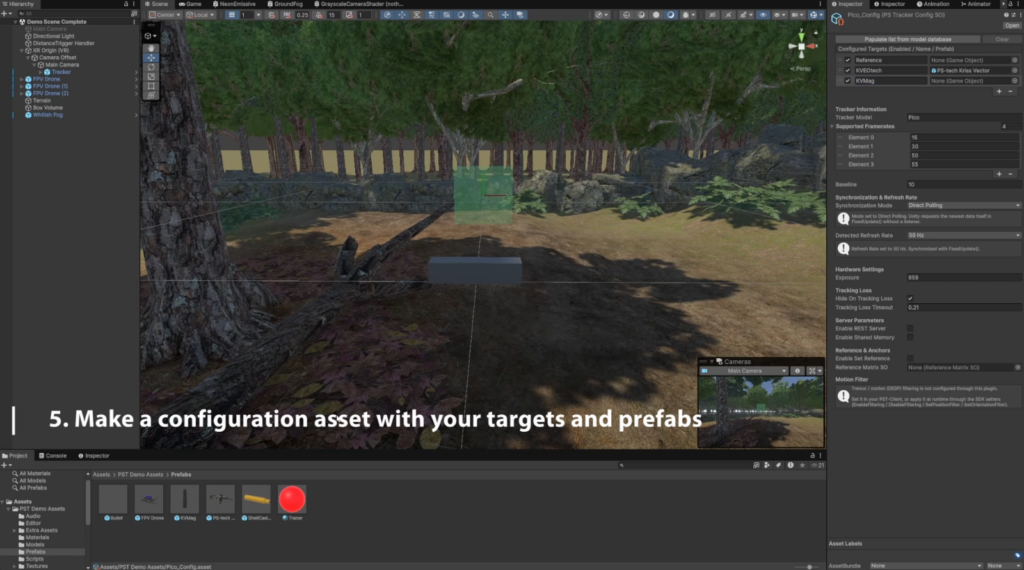
As demonstrated in the video, the basic workflow is:
- Import the PST Unity Plugin.
- Select the configuration for the connected PST tracker.
- Import or create your Unity assets.
- Add the assets to the scene.
- Associate tracked targets with their Unity prefabs.
- Start the application and use the tracking data.
The package contains the components required to communicate with the tracker as well as the native PST libraries, configuration system and example implementation. The intention is that the developer can get a first tracked object working quickly and then build the application around it.
The plugin can also detect tracker capabilities and create configuration information, reducing the amount of tracker-specific setup the Unity developer has to perform manually.
PST Pico Tracking from an HMD
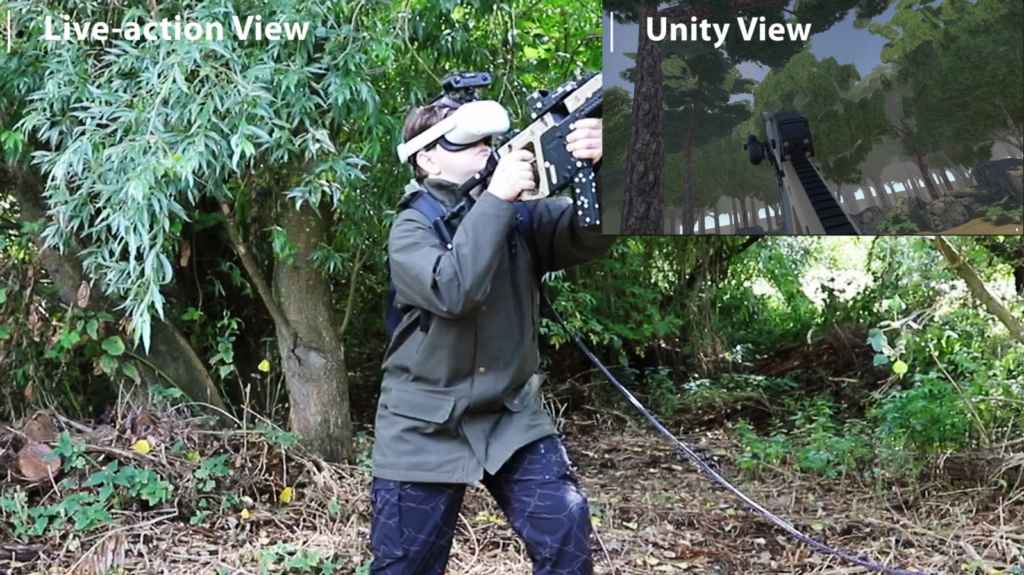
One particularly interesting configuration is demonstrated in the video using the PST Pico mounted directly on a head-mounted display.
Rather than placing the tracker at a fixed location in the environment, the Pico moves together with the user’s head.
The tracker becomes the moving reference for the tracked objects. This allows the user to move through the environment while physical devices in front of the headset remain correctly represented inside the Unity scene.
The reference-frame implementation was specifically designed so that an HMD-mounted tracker can move while the virtual environment and tracked objects remain spatially consistent, without requiring a permanently visible physical anchor.
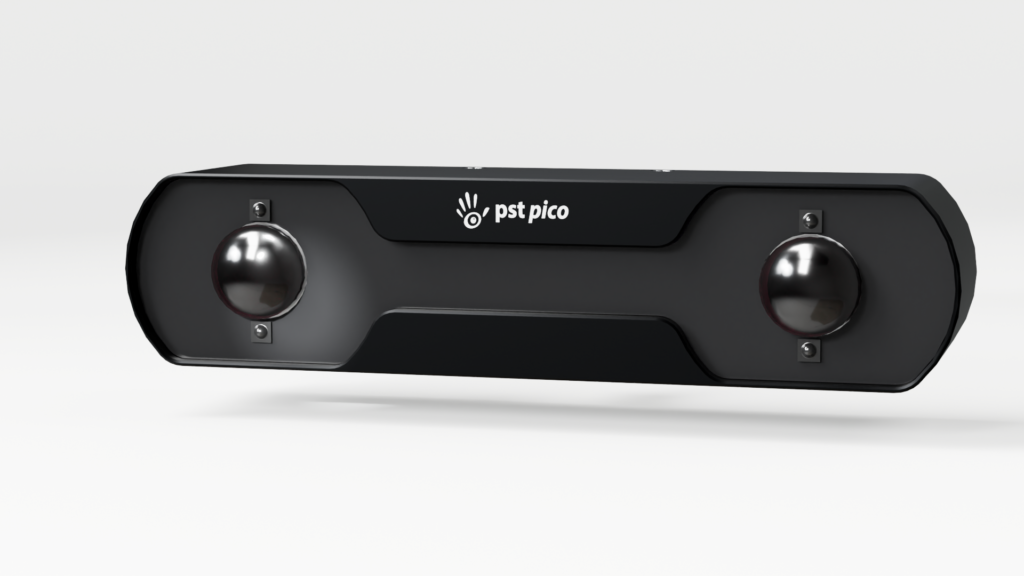
The PST Pico is particularly suited to this type of application because of its compact dimensions, short-range tracking design and wide field of view.
More Than Head Tracking
Although the Pico is mounted on the headset in this demonstration, the plugin is not limited to tracking the HMD.
Multiple physical objects can be tracked simultaneously and connected to independent Unity objects.
This demonstrates an important advantage of optical tracking: real physical tools and objects can become part of the application logic itself.
Bring Real-World Tracking Into Your Unity Application
The demonstration in the video is just one example of what can be built with the PST Unity Plugin. By bringing accurate 6DoF optical tracking directly into Unity, developers can connect real tools, devices and objects to their own virtual environments.
Applications range from training and simulation to VR/XR, research, tracked instruments, engineering prototypes and OEM systems. A PST tracker can be used in a fixed setup or, with a compact tracker such as the PST Pico, mounted on an HMD for mobile applications.
For larger tracking volumes, the same Unity integration can be used with the PST Base and PST Iris tracker families.
The Unity plugin brings PST’s accurate 6DoF optical tracking directly into your own Unity project.